
Hospital Tracking
Role
UI/UX Design, Research
Company
krumware
Client
SC Emergency Mgmt Division
SC Hospital Association
SC DHEC
Timeframe
6 months

South Carolina had an outdated system to track hospital beds, equipment, and manage contacts across the state creating numerous obstacles to getting regular and accurate bed count numbers. I worked with South Carolina’s Emergency Management Division (SCEMD), Department of Health and Environmental Control (DHEC), the South Carolina Hospital Association (SCHA), and hospital employees to design an application to see timely and consistent bed count updates during both “blue sky days” and emergency scenarios.
Problems
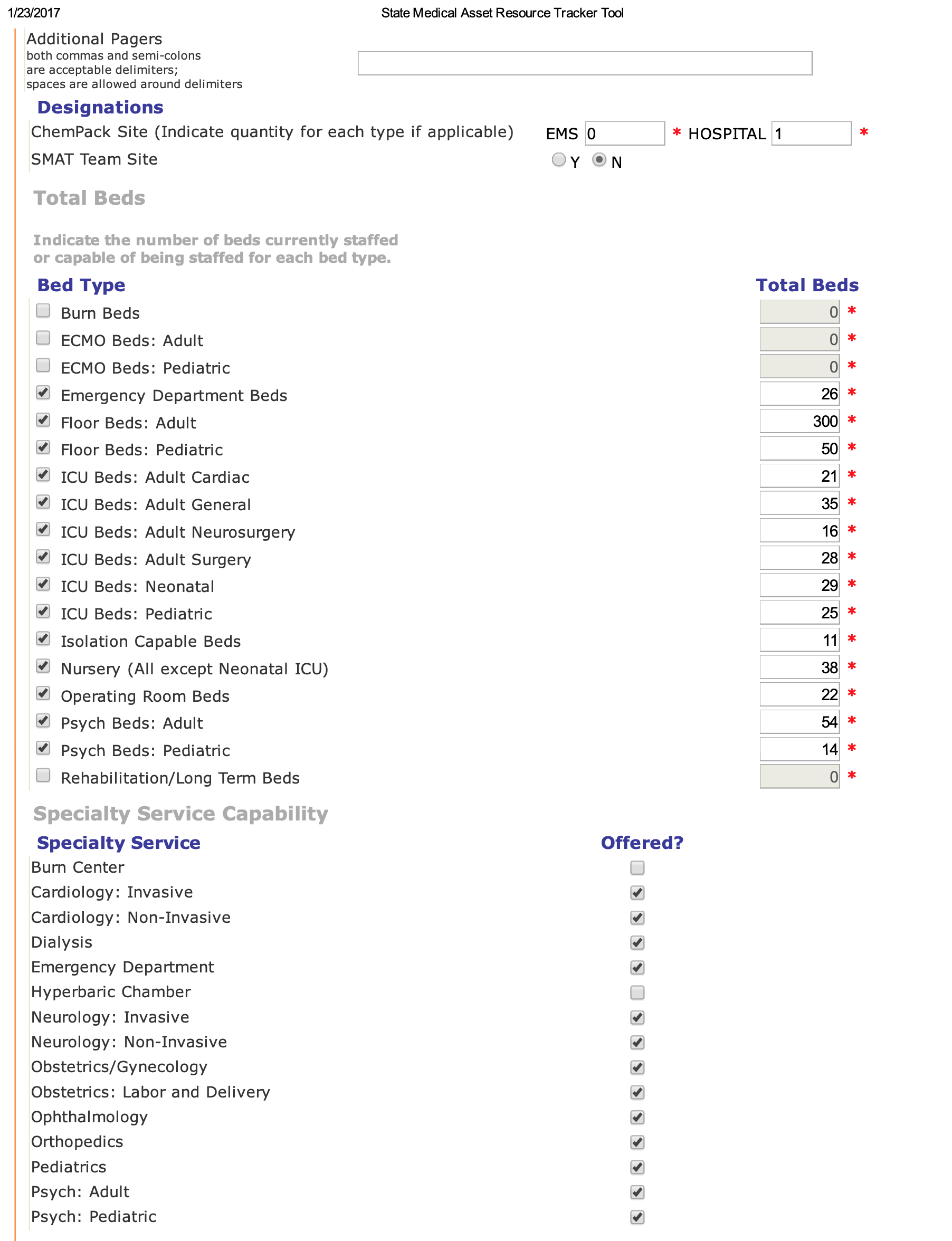
Decision-makers at the State level were unable to get hospitals to consistently update bed counts when needed, making evacuating during an emergency problematic (Four full-coastal hurricane evacuations occurred during my tenure)
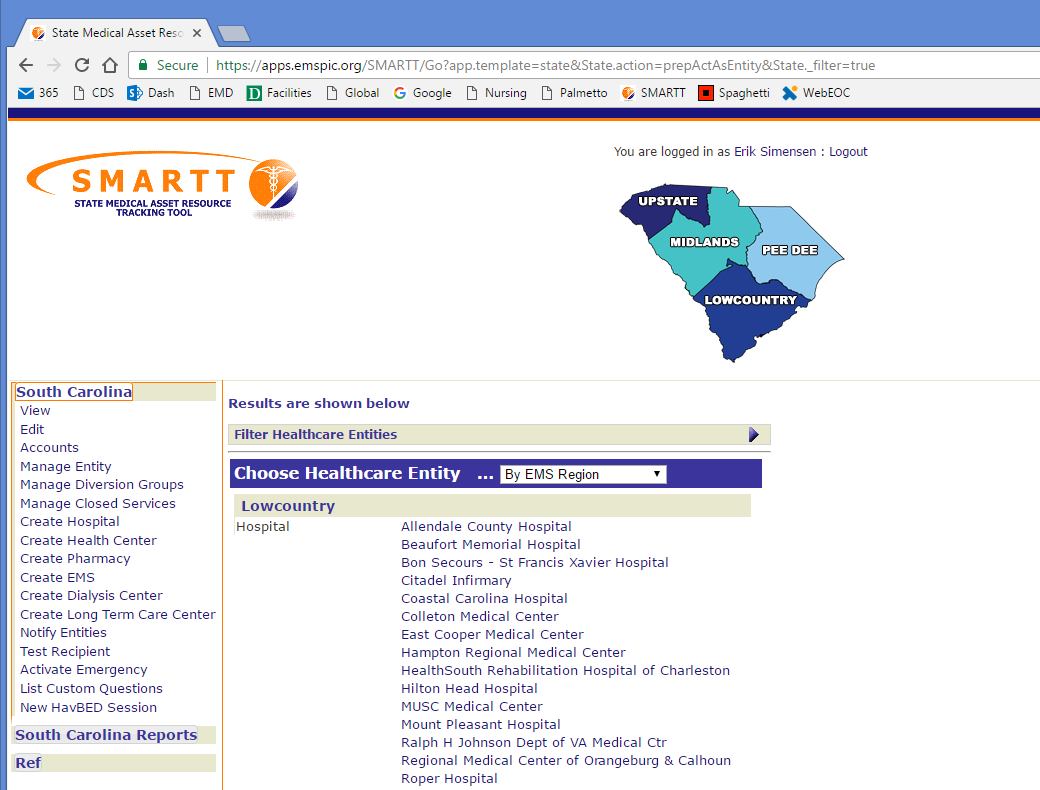
Previous system required user accounts for hospital staff to login before entering their data. Hospital users accessed this system infrequently and rarely remembered their passwords among other critical systems, resulting in dozens of password resets monthly.
The ‘Reset Password’ flow on previous system took “up to 60 minutes” to send a hospital employee the reset email which contributed to low reporting numbers, inefficiency, and frustration for the hospital employees. In long delays, users attempted to reset their passwords multiple times (thinking it didn’t work the first time), which could lead to locking their account.
Multi-user accounts were created in hospitals where many users were able to report bed count numbers. This meant setting weak passwords and sharing insecurely.
Multi-user accounts also complicated the ‘Reset Password’ flow as the multi-user account would be tied to a single user’s email or a common group email between users. This further slowed and even prevented the users from accessing the system to enter vital data.
Challenges
Create a reliable and effortless way for hospital users to update their required bed count numbers that avoids current user authentication problems.
Reduce the ability for users to get into a similar multi-user account conundrum as before.
Deliver feature parity between old and new product and add desired new features based on user needs.
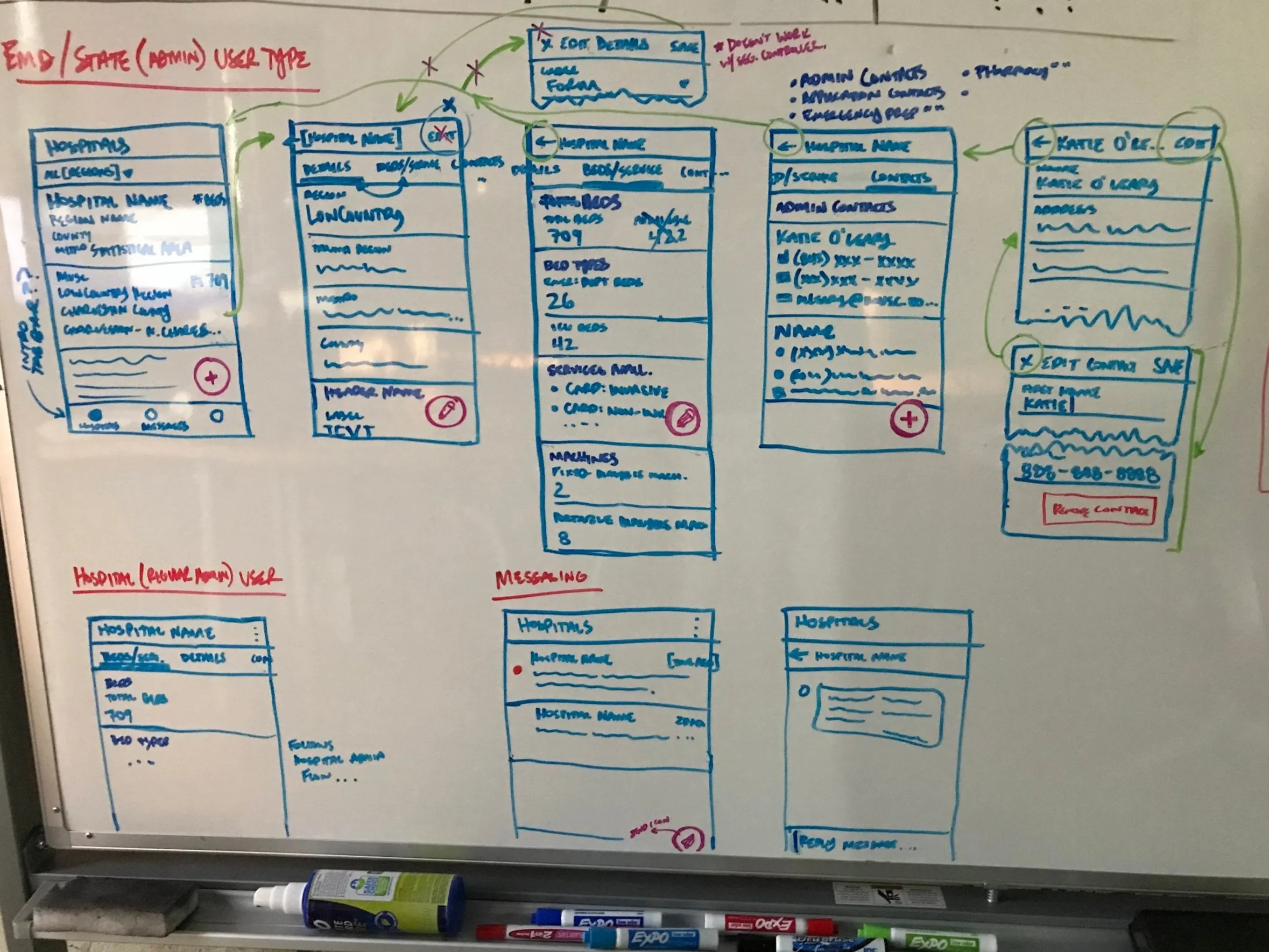
Catering a single system to different State-level personas vs. Hospital-level personas, both with different needs and goals.
Explorations
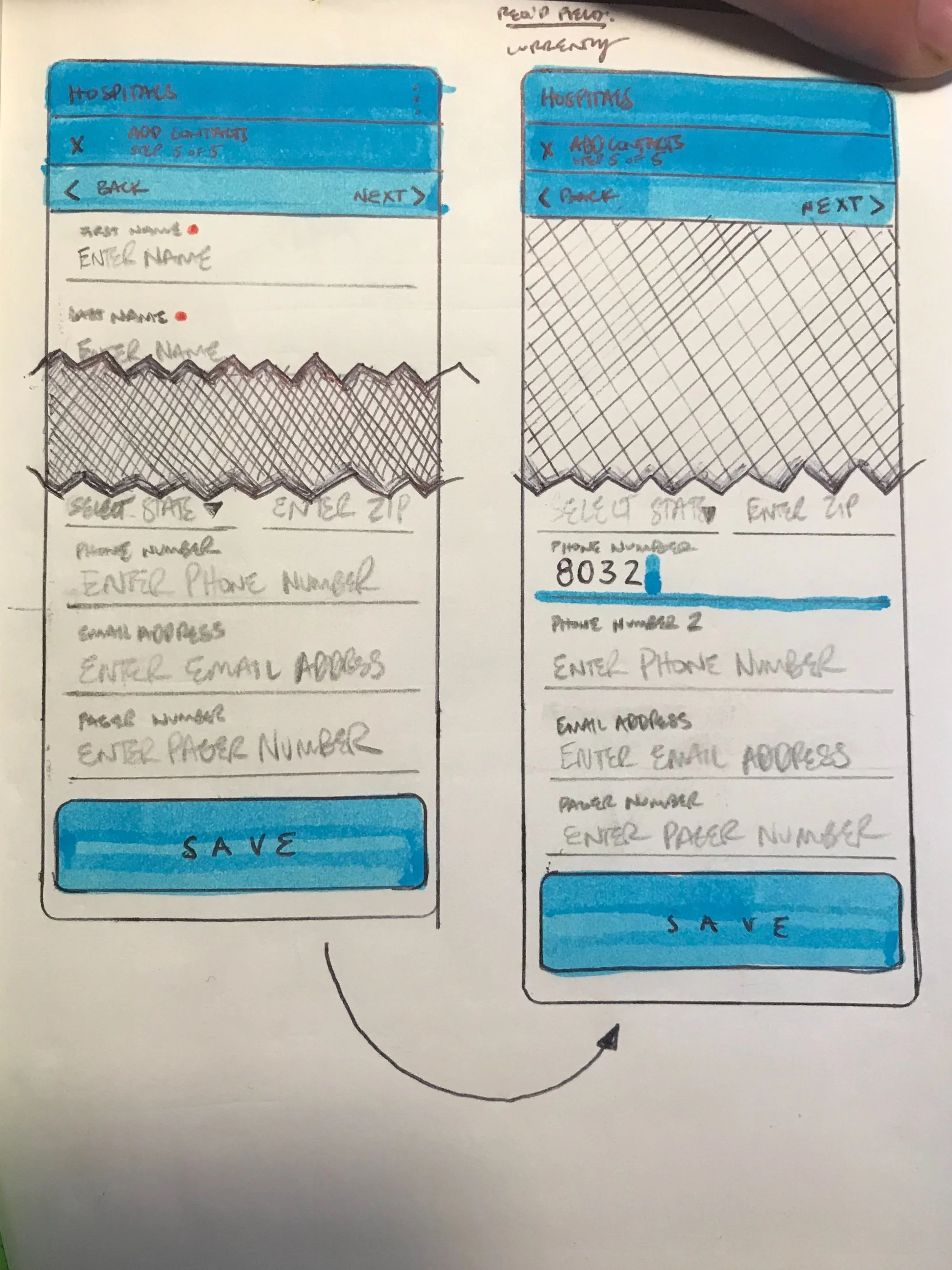
Facilitated individual interviews then focus group with state-level (DHEC) and hospital-level (SCHA) stakeholders to identify problems with existing system. I worked with our SCEMD liaison and engineer to define requirements and develop plan, approved by the stakeholders. The following needed to be accounted for:
Ability to enter general info, bed counts (by type), equipment, and services per hospital
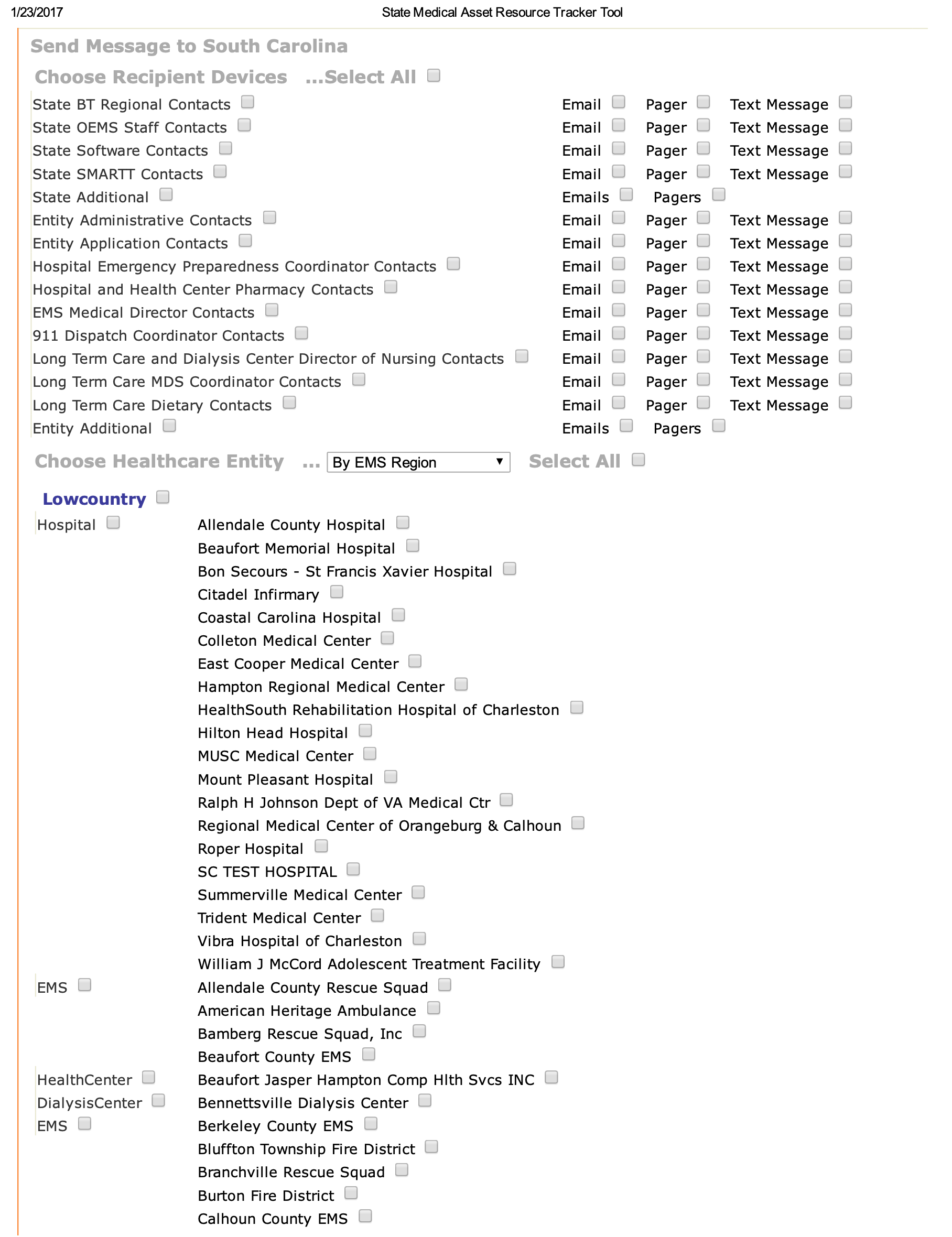
Ability to manage contacts per hospital (Blast Messaging recipient list)
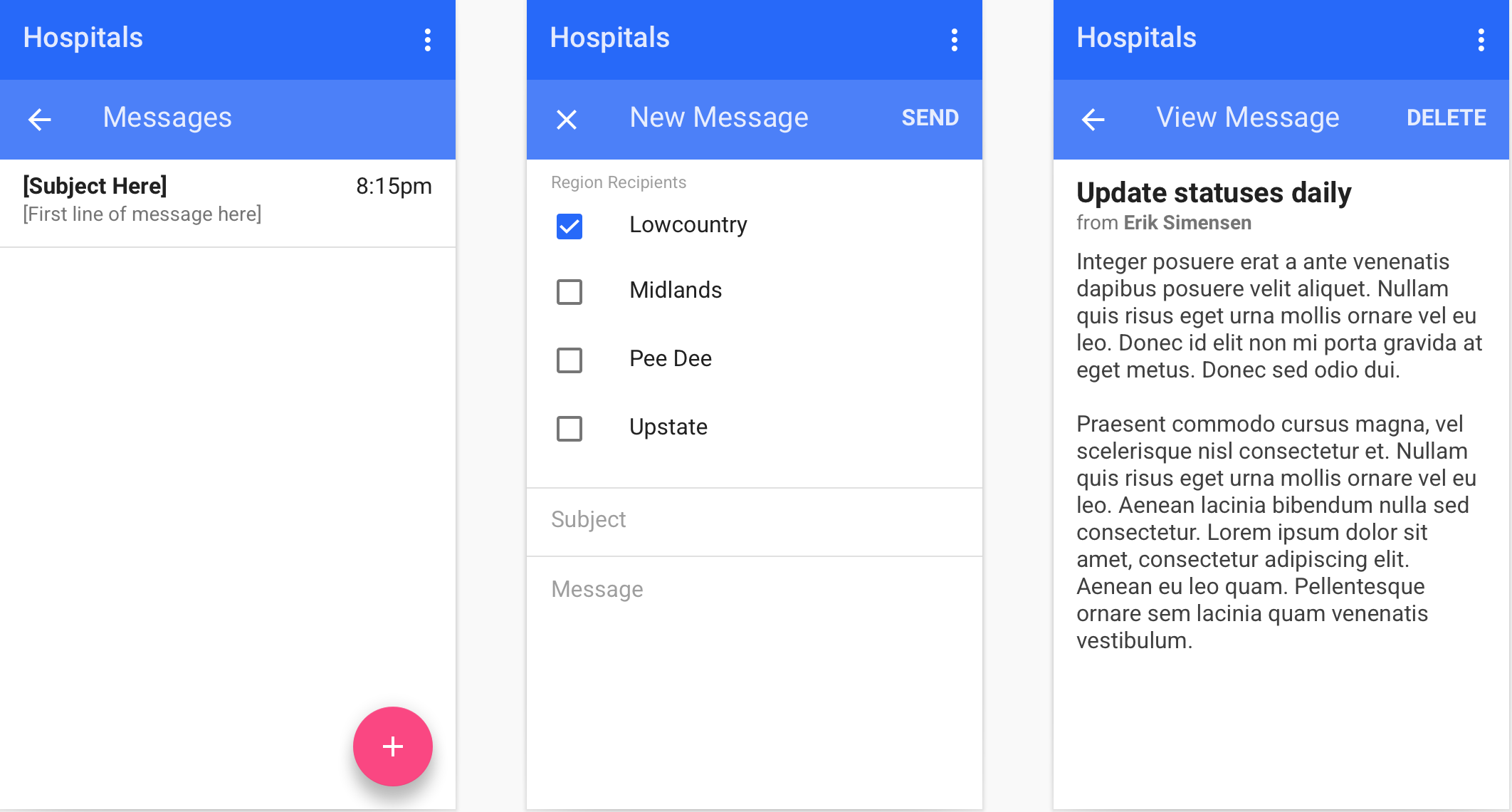
Ability to send “blast” emails from state-level to report numbers and hospital users to simply fill out a form without need for user account
Audited Forgot Password Reset Request on previous system to verify the problems reported by the stakeholders regarding access were valid.
Completed an audit of all user accounts in system (including decoupling the various multi-user accounts). These hospital user accounts were segmented by hospital and ported into the new system’s Contact Management in order to facilitate the new ‘Blast Messaging’ functionality.
Worked with Rudra, krumware engineering partner, to develop the token-authenticated URL and blast-email structure that allowed DHEC admin to send blast emails to hospitals to update bed count numbers and no longer require hospital user accounts.
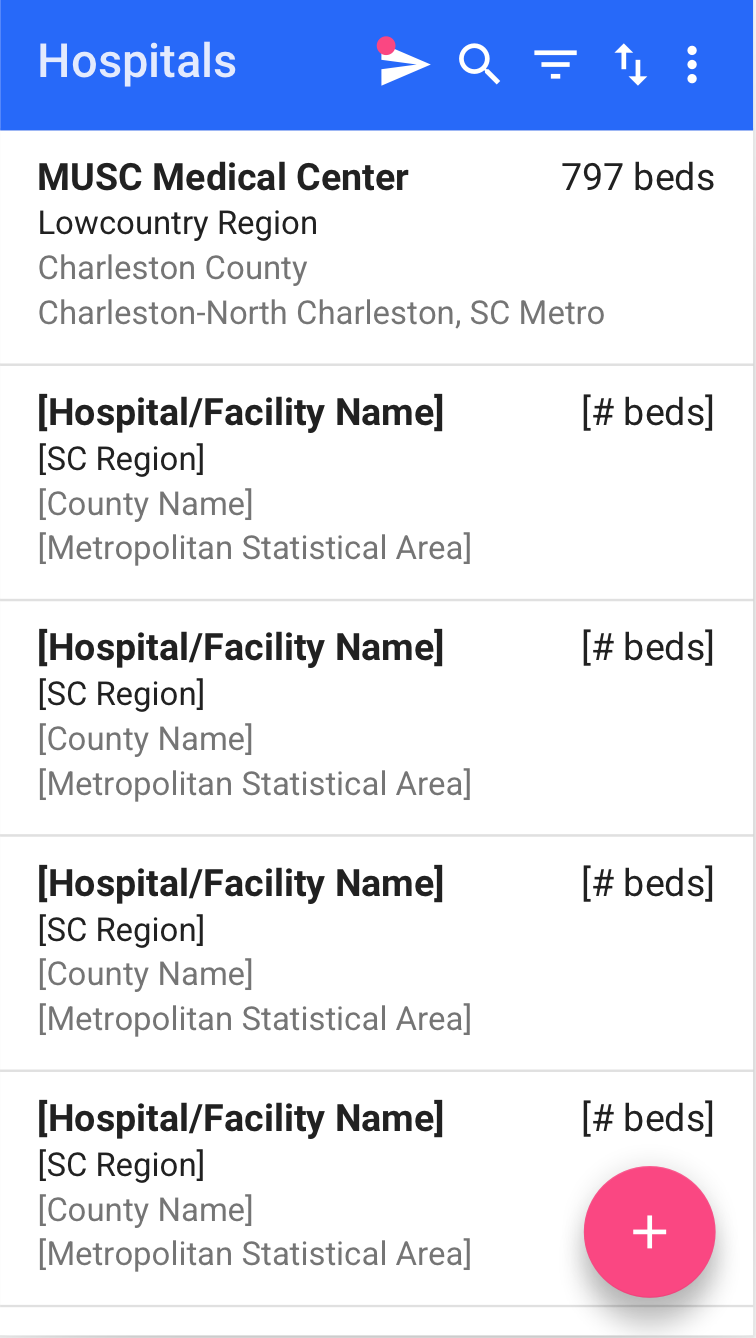
Designed pages for data entry on Bed Count, Services, Equipment, and Hospital info tabs.
Built custom Blast Messaging capability with new features to create templates, follow-up reminders for users who didn’t respond, and basic reporting capability
Success/Outcome
In real-world situations like the COVID-19 pandemic, 94% of Acute Care Hospitals reported their bed count within 48 hours of email blast (compared to 38% in previous system)¹
Blast Messaging feature reduced DHEC to Hospital follow up time by nearly 50%.
Change of product structure utilizing email blast and web forms reduced all need for password resets from hospital users, significantly reducing user frustration and needed tech support.
Decreased password resets from dozens per month to zero by redesigning the data entry mechanism for hospital users.
Launched beta product 45 days after kick-off meeting that met feature parity with their old system. Our careful scoping allowed us to roll out a lean release to capture feedback and enhance swiftly.
Hospital users were ecstatic to see no credentials required as this allowed them to swiftly enter their numbers and get back to their primary job, saving them critical time.
Hospitals application utilized by State & hospital users on weekly basis over 2 years after release (throughout every wave of the COVID-19 pandemic)
Later tasked to build further enhancements for messaging, bed and equipment count updates, and reporting, not available in old system.
¹ Sampled from Nov 2020 hospital weekly reports